


Verify every hire, before day one
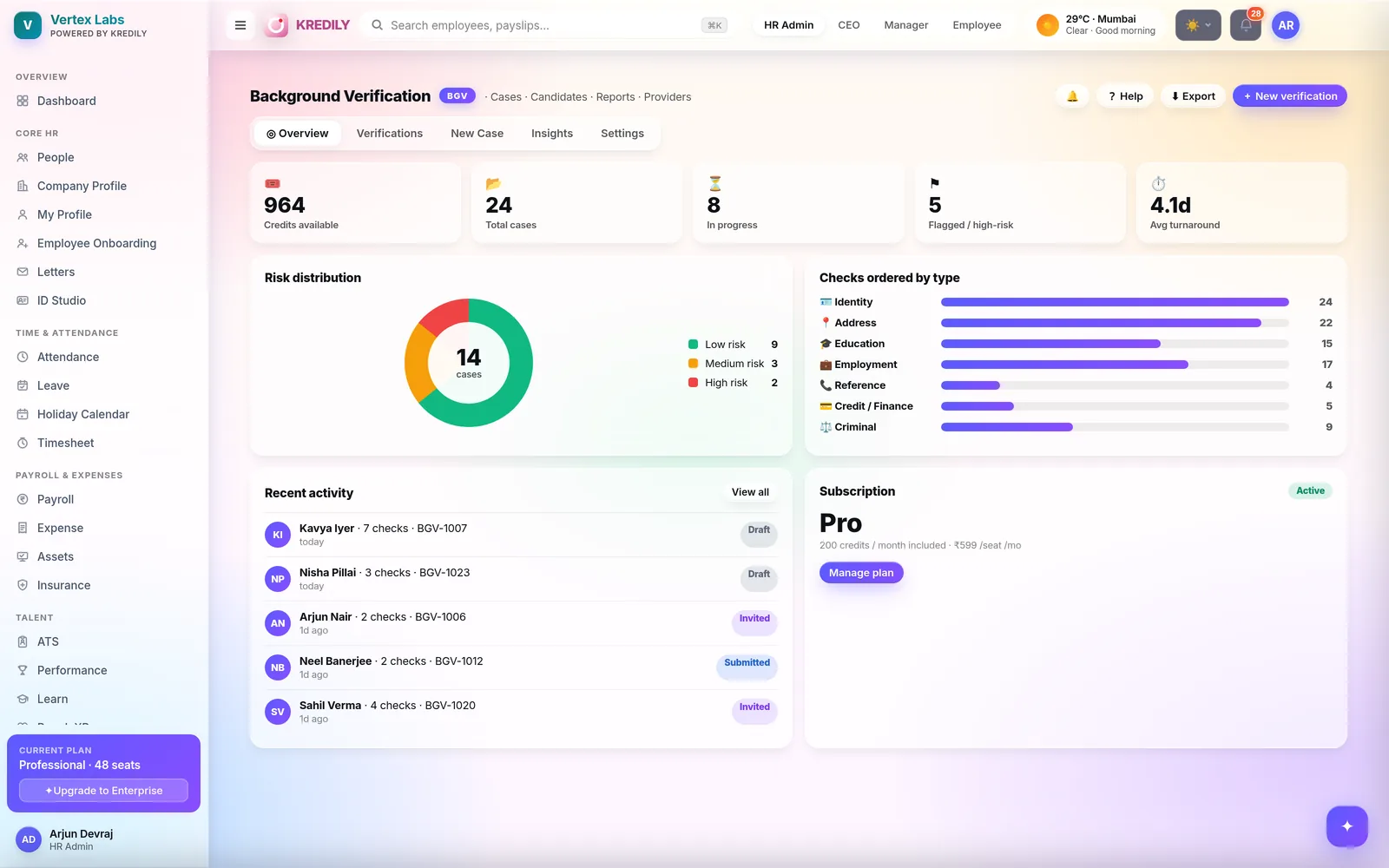
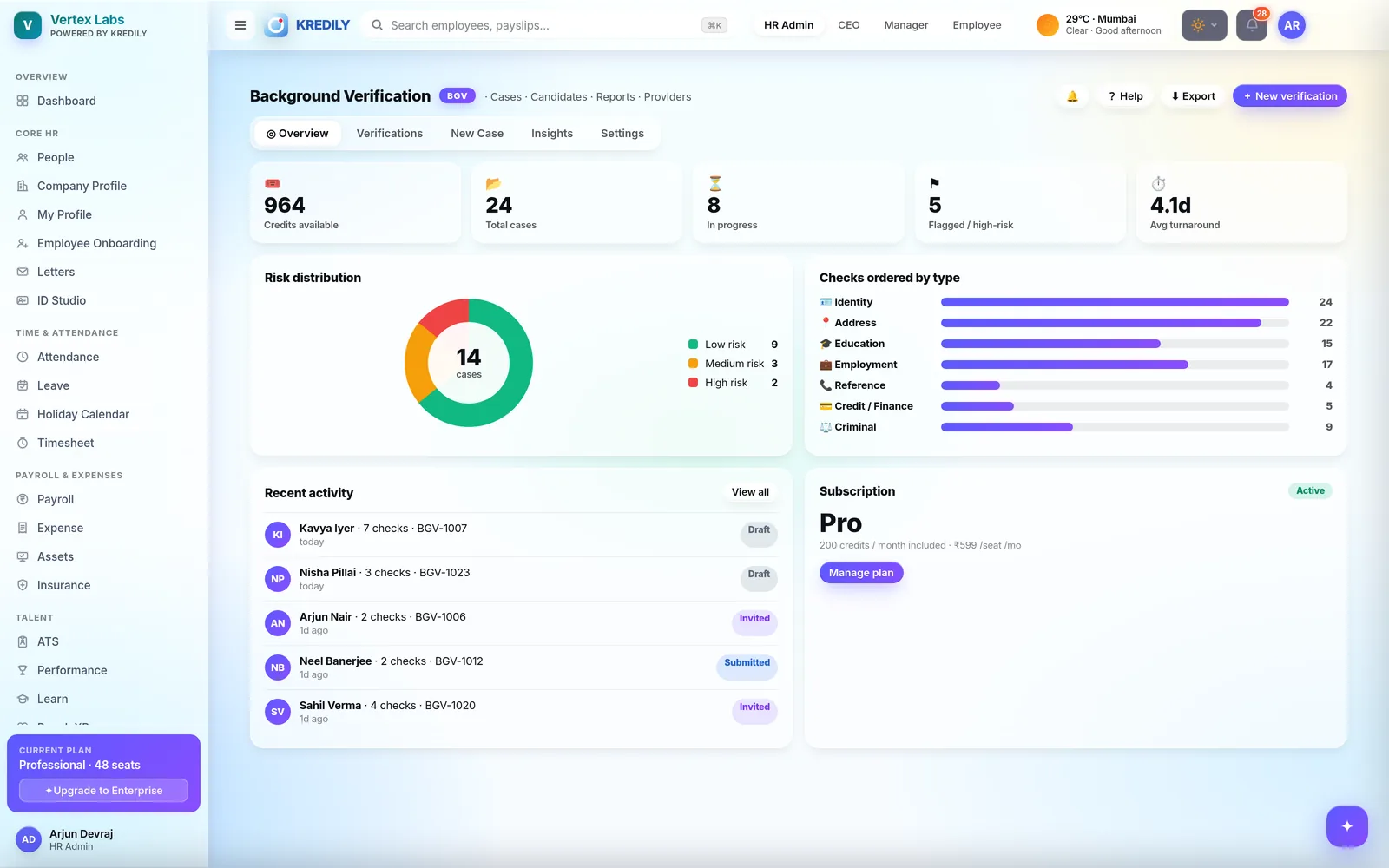
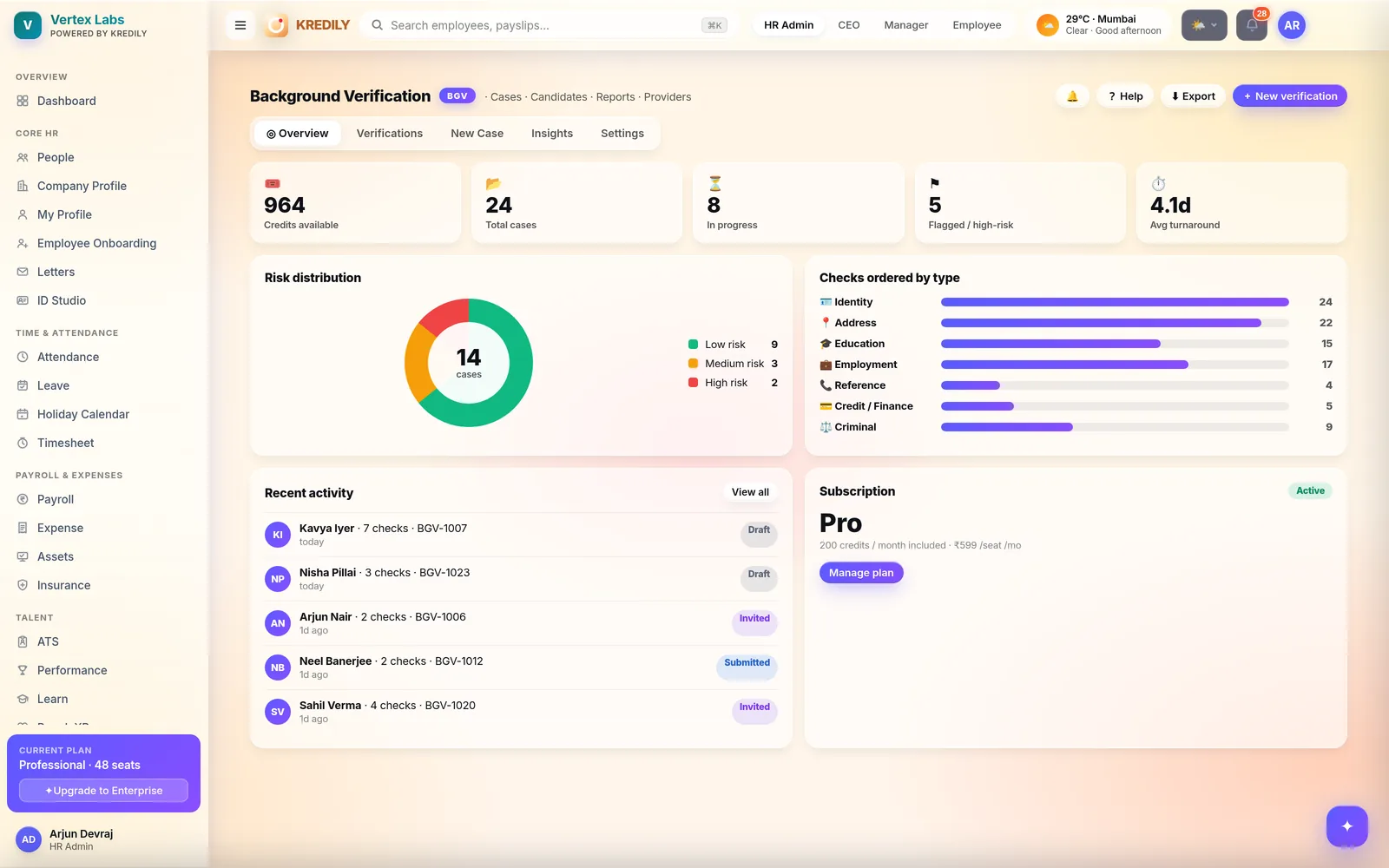
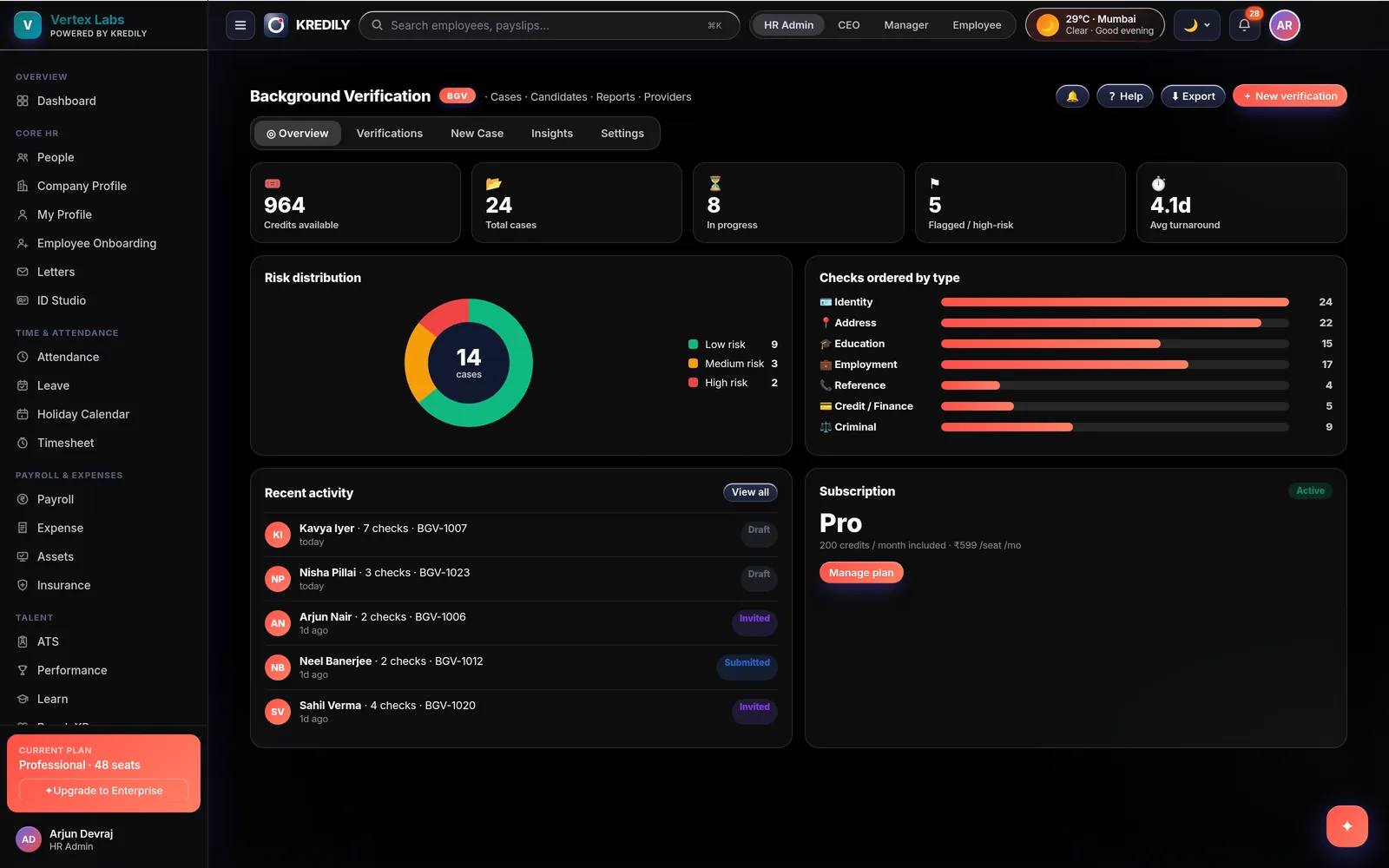
Identity, address, education, employment and reference checks — one page, one consent, one report.
Kredily background verification gives every employee a single self-service page to fill details, upload each document once and give consent — while HR initiates checks, tracks per-check status and downloads one consolidated report from the very same page. Rolling out to Kredily customers now — book a demo for early access.
Nobody chases a verification over email
As BGV rolls out across Kredily, the AI Copilot answers on it like every other module — role-gated, with humans approving every consequential step.
Employees ask
“What’s pending on my background verification?” — the answer is the checklist itself: which checks are covered, which document is missing, whether consent is still due.
HR asks, then acts
“Show me verifications still waiting on the employee.” Then reinvite from the same screen — a fresh link, one click, logged. Guided and approval-gated, never autonomous.
Watches the queue
Cases idle at invited or submitted surface for follow-up before a joining date slips — early warning on the process, not guesswork about the person.
Five checks, each with the right document slots
Every check knows exactly which documents it accepts — and only asks for what’s missing.
Identity
Name as per PAN, date of birth — with PAN and Aadhaar mandatory, each with its document number, plus optional slots for passport, voter ID or driving licence.
Address
Current and permanent address with proof — Aadhaar, passport, utility bill, rent agreement or bank statement — and a one-tick “permanent same as current” shortcut.
Education
One block per qualification — institution, year, registration number — with a mandatory degree certificate and optional marksheets or provisionals per block.
Employment
One block per past employer — designation, dates, UAN — with a relieving or experience letter plus optional payslips and appointment letters.
Reference
Referee name, relationship, company and contact per reference — verified by direct contact, so no documents to upload at all.
Criminal & credit
Criminal-record and credit checks are rolling out alongside the core five — ask our team about availability for your setup.
The employee and HR look at the same record
No parallel spreadsheets: HR opens the exact page the employee filled, with a management layer employees never see.
Employee self-service
- Fill every check on one page — no portal hopping, works from an invite link
- Upload a document once and it’s reused by every check that accepts it — Aadhaar covers identity and address in one go
- Explicit consent before submit — the button stays off until every check is covered and consent is given
HR & verifier console
- Initiate one check or all of them, reinvite in a click, and assist-edit where needed
- A progress stepper per case — Invited → Submitted → In progress → Completed — with checks-ordered and completed counts
- Consent shows read-only to HR — only the employee can give it
Status & report
- Per-check status — pending, in progress, passed or flagged — visible on the case and on the HR grid
- One consolidated PDF report for the whole verification — overall verdict, risk band and per-check results
- Employees download their own report; sharing a report link stays HR-only
Every case, one grid, zero email threads
The verifications grid
Every employee’s case with its status and per-check ticks — open any row and you’re on the same page the employee sees, back button included.
Reinvite, don’t chase
A case stuck at invited gets a fresh one-time link resent in a click — every reminder is logged on the record.
An audit trail throughout
Consent capture, every initiation and every status change is recorded — sensitive by design, with access controlled by role.
Invite → submit → verified
Invite
HR opens a case, picks the checks to order, and the employee gets a secure invite link to their verification page.
Fill, consent, submit
The employee fills details, uploads each document once, gives consent and submits — the page won’t let them submit half-done.
Verify & report
HR initiates the checks, watches per-check status move to passed or flagged, and everyone gets one consolidated PDF report at the end.
Background verification questions, answered
What is background verification software?
Which checks does Kredily BGV cover?
When is Kredily BGV available?
Do employees upload the same document again and again?
How does consent work?
How does HR track verification status?
What does the final report look like?
Who can see verification results?
Explore the rest of the platform
Verify every hire before day one.
One page per employee, five checks, one consolidated report — rolling out now.