Form 16 Meaning and Purpose in Income Tax
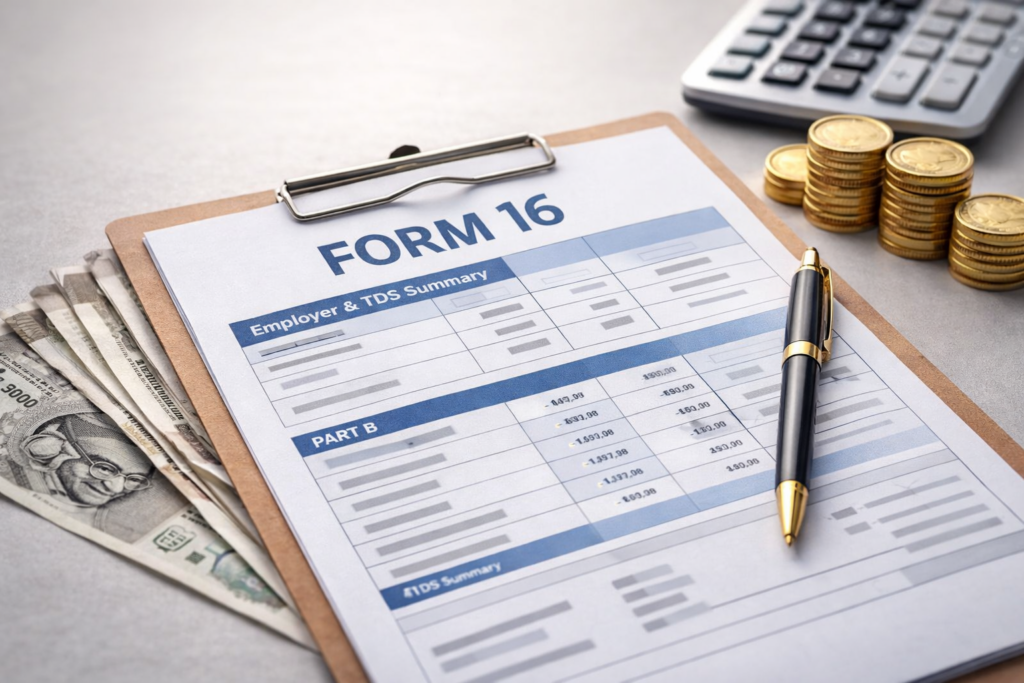
Form 16 meaning refers to a certificate issued by employers that shows how much TDS on salary was deducted and deposited with the government during a financial year. It acts as a summary of an employee’s salary income and tax deductions and confirms that tax has been deducted at source.
The document contains details such as salary income, tax deducted every month, and the total tax deposited with the government. Employees usually rely on Form 16 when filing their income tax return because it helps verify income and tax payments accurately. Under the Income Tax Act, employers must issue this certificate after deducting tax from employee salaries.
Employers generally provide Form 16 to employees by 15 June of the following financial year, after completing their TDS return filings.
Who Receives Form 16 and When It Is Issued
Employees whose salary has TDS deducted by an employer receive Form 16. This certificate is given to salaried individuals when tax has been deducted from their salary during the financial year. However, if the employee’s income is below the taxable limit and no tax is deducted, the employer may not issue Form 16.
Form 16 is issued for a specific financial year, which represents the period when the income is earned. In India, the financial year runs from 1 April to 31 March. The related assessment year is the following year when employees file their income tax return and report that income to the tax department.
After the financial year ends, employers prepare salary and tax deduction records before generating Form 16 for employees. This timeline allows organizations to complete their TDS return filings and ensure that the correct tax information has been reported.
Employees usually review Form 16 to check their salary income, verify tax deductions, and prepare their income tax return correctly. As a result, it becomes an important record confirming that the tax deducted from salary has been deposited with the government.
Structure of Form 16: Part A and Part B Explained
Form 16 Format Overview
The format of Form 16 is divided into two sections: Part A and Part B. Part A contains employer details and the summary of tax deducted at source, while Part B explains the salary components, deductions, and final taxable income calculation. Together, these sections provide a complete summary of salary income and tax deductions for a financial year.
Part A – Employer and TDS Details
It explains the employer information and the tax deducted from salary.
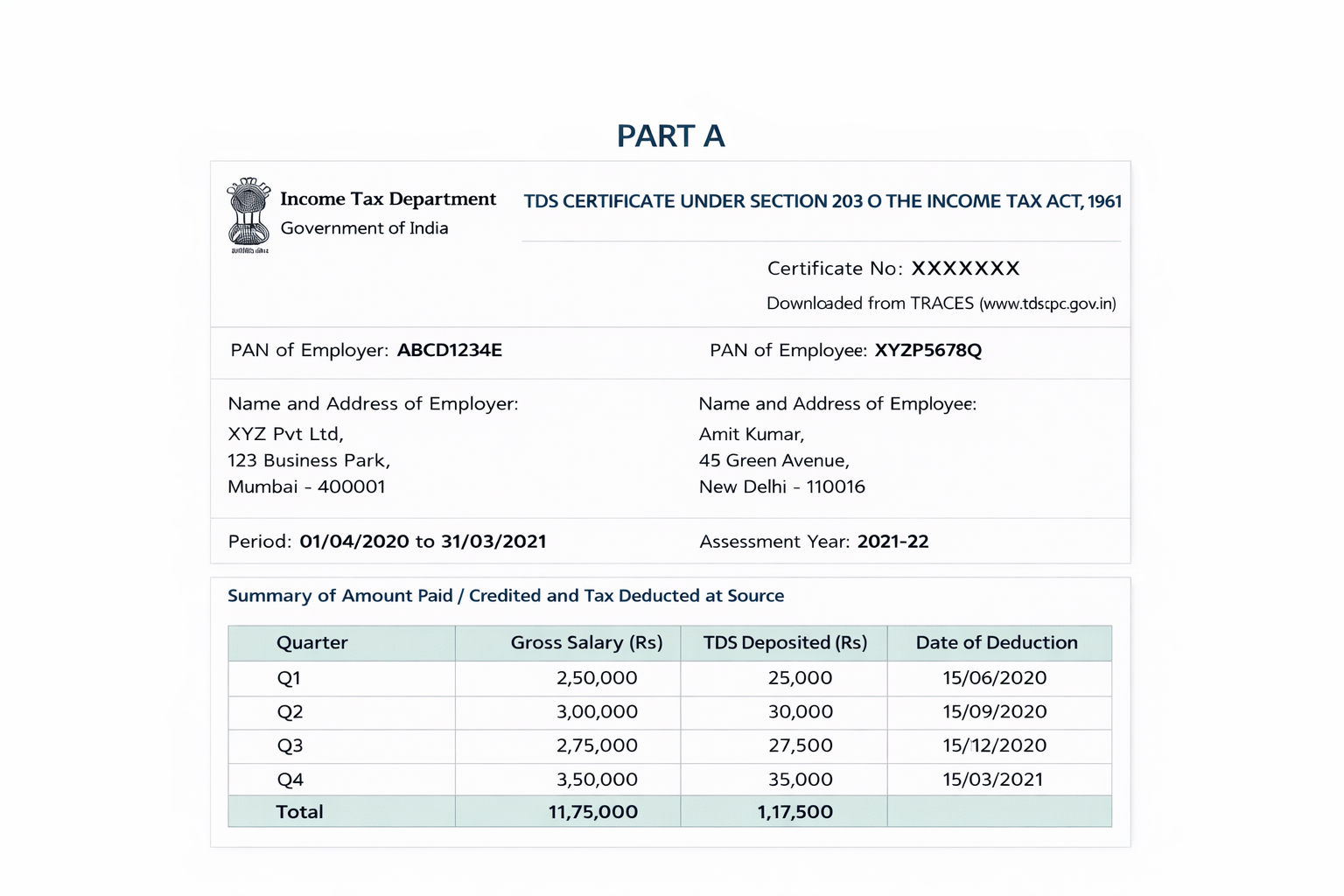
It includes:
-
Name and address of the employer and employee
-
Employer TAN
-
Employer and employee PAN
-
Quarter-wise TDS deducted from salary
-
Challan details with tax deposit date
Employers generate Part A after filing the TDS return through the TRACES system.
Part B – Salary and Tax Calculation
It focuses on salary details and the calculation of taxable income.
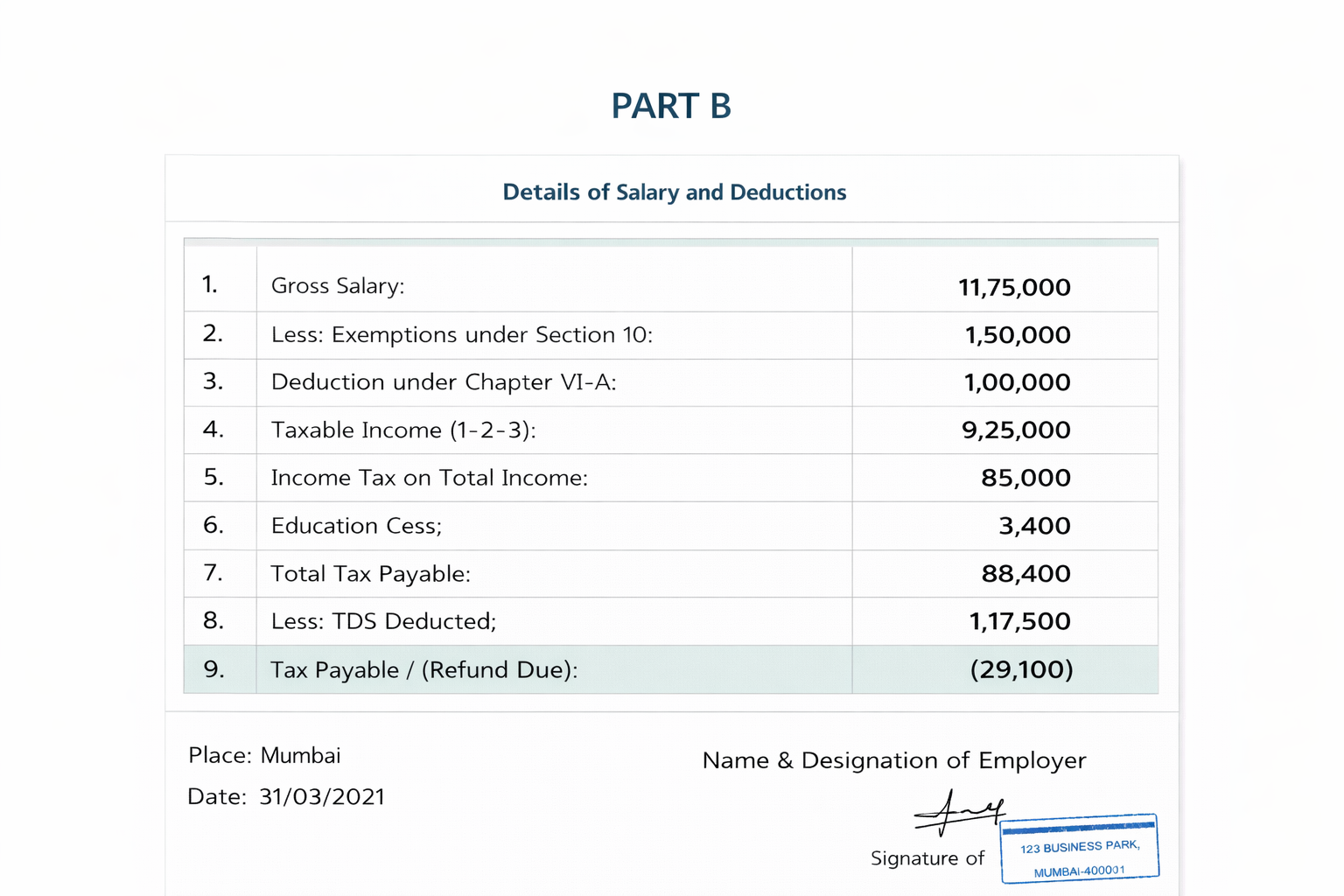
It includes:
-
Salary breakup such as basic salary and allowances
-
Exemptions under Section 10
-
Deductions under Chapter VI-A
-
Final taxable income
While Part A shows tax deduction details, Part B explains salary components and the final taxable income calculation.
Difference Between Form 16, Form 16A and Form 26AS
The table below explains the key differences between these documents and how they help in tax reporting.
Comparison Point | Form 16 | Form 16A | Form 26AS |
What the document shows | Summary of salary income and tax deducted from salary | Record of tax deducted from non-salary payments | Complete tax credit statement linked to PAN |
Who provides it | Employer | Deductor such as bank, company, or client | Income Tax Department |
Type of income covered | Salary income | Interest, rent, commission, professional payments | All tax credits reported to the tax department |
How often you receive it | Once every financial year | Issued every quarter | Available online anytime |
Main purpose | Shows salary tax deduction details | Shows TDS deducted on other payments | Shows all taxes deposited against your PAN |
Where taxpayers usually use it | While filing income tax return for salary income | While reporting other income with TDS | To verify tax credits before filing return |
Information included | Salary details, TDS deducted, employer details | Payment details and TDS deducted | TDS entries, advance tax, self-assessment tax |
Where you can access it | Given by employer | Given by deductor | Downloaded from the income tax e-filing portal |
Why Form 16 Is Important for Employees
Form 16 helps employees understand their salary income and tax deductions for a financial year. Additionally, it simplifies income tax filing and financial verification.
Filing income tax return
Employees rely on Form 16 when filing their income tax return. The certificate shows total salary income, tax deductions, and the final taxable income. As a result, taxpayers can report their income correctly while filing taxes.
Proof of income
Apart from tax filing, Form 16 also serves as proof of income. Banks and financial institutions often request it when employees apply for loans such as personal loans or home loans.
Verifying tax deductions
Employees can review this document to confirm that the employer deducted the correct tax amount from their salary during the financial year.
Cross-checking with Form 26AS
Employees can also compare the tax details shown in Form 16 with Form 26AS, which displays tax credits recorded with the tax department. This comparison helps ensure that the deducted tax has been correctly reported and deposited.
Example of Form 16 in Salary Tax Reporting
For example, suppose an employee earns an annual salary of ₹8,00,000 and the employer deducts ₹40,000 as tax during the financial year. In this case, Form 16 will show the total salary income, the tax deducted every month, and the final taxable income after deductions.
Employees can use this information while filing their income tax return to confirm that the tax deducted from salary matches the tax deposited with the government.
How Employers Generate Form 16
Employers follow a structured process during the financial year to prepare and issue Form 16 to employees.
Step 1: Salary processing
The payroll team processes employee salaries and records salary components such as basic pay, allowances, and deductions.
Step 2: Tax deduction from salary
Based on the employee’s taxable income, the required tax amount is deducted from the monthly salary.
Step 3: Quarterly TDS return filing
Employers report the deducted tax by filing the quarterly TDS return using Form 24Q.
Step 4: TDS record processing
The tax system records these deductions and links them to the employee’s PAN.
Step 5: Generate Part A
Employers download Part A after filing the TDS return. This section shows the tax deduction summary and employer details.
Step 6: Prepare Part B
Employers prepare Part B using payroll records and employee salary details.
Step 7: Issue Form 16
Finally, organizations combine Part A and Part B to issue the complete Form 16 document to employees.
Automating Form 16 with Payroll or HRMS Software
Payroll or HRMS software helps employers manage payroll processing, salary tax records, and generate Form 16 more efficiently.
Automatic tax calculation
HRMS systems calculate employee salaries and automatically determine the tax deducted from salary based on income and applicable tax rules.
TDS return preparation
These tools also help prepare quarterly TDS returns using payroll data.
Form 16 generation
Once tax returns are filed, the system uses salary and tax records to generate Form 16 for employees.
Compliance management
HR and payroll platforms keep salary payments, tax deductions, and statutory filings organized in one place. As a result, employers can maintain compliance more easily.
Many companies use HRMS platforms to automate these processes and simplify salary tax reporting.
Generate Form 16
Quick Summary
-
Form 16 is a salary TDS certificate issued by employers.
-
It shows salary income and tax deducted during a financial year.
-
The document is divided into Part A and Part B.
-
Employees use Form 16 to verify tax deductions and file their income tax return.
Key Takeaways
Form 16 helps employees understand how much tax was deducted from their salary during the financial year. Employers issue this document after reporting salary tax deductions through TDS returns. The certificate includes two sections: Part A, which shows the tax deduction summary, and Part B, which explains salary details and taxable income calculations. Employees commonly use Form 16 to verify tax deductions and prepare their income tax return. Many organizations now rely on payroll or HRMS software to generate Form 16 and manage payroll tax records efficiently.
Frequently Asked Questions (FAQ’s)
Is Form 16 mandatory for employees?
No. Form 16 is not mandatory for employees. However, employers must issue it if they deduct tax from salary.
Can I file ITR without Form 16?
Yes. Employees can file their income tax return using salary slips, bank statements, and tax details available in Form 26AS.
What if my employer does not issue Form 16?
Employees can request it from their employer or HR department. If it is not available, they can still file their income tax return using salary records and tax details.
What is the difference between Form 16 and Form 16A?
Form 16 shows tax deducted from salary, while Form 16A shows tax deducted from non-salary income such as interest or professional payments.
How is Form 16 different from Form 26AS?
Form 16 is issued by the employer as a certificate showing salary TDS details, whereas Form 26AS is a consolidated tax statement available on the income tax portal.
How can employees get Form 16?
Employees usually receive Form 16 from their employer or HR department. Many organizations also provide it through their payroll or HRMS portal for employees to download easily.